Joplin插件推荐
Gif图片加载较慢,请耐心等待!
persistent-text-folding-in-editor
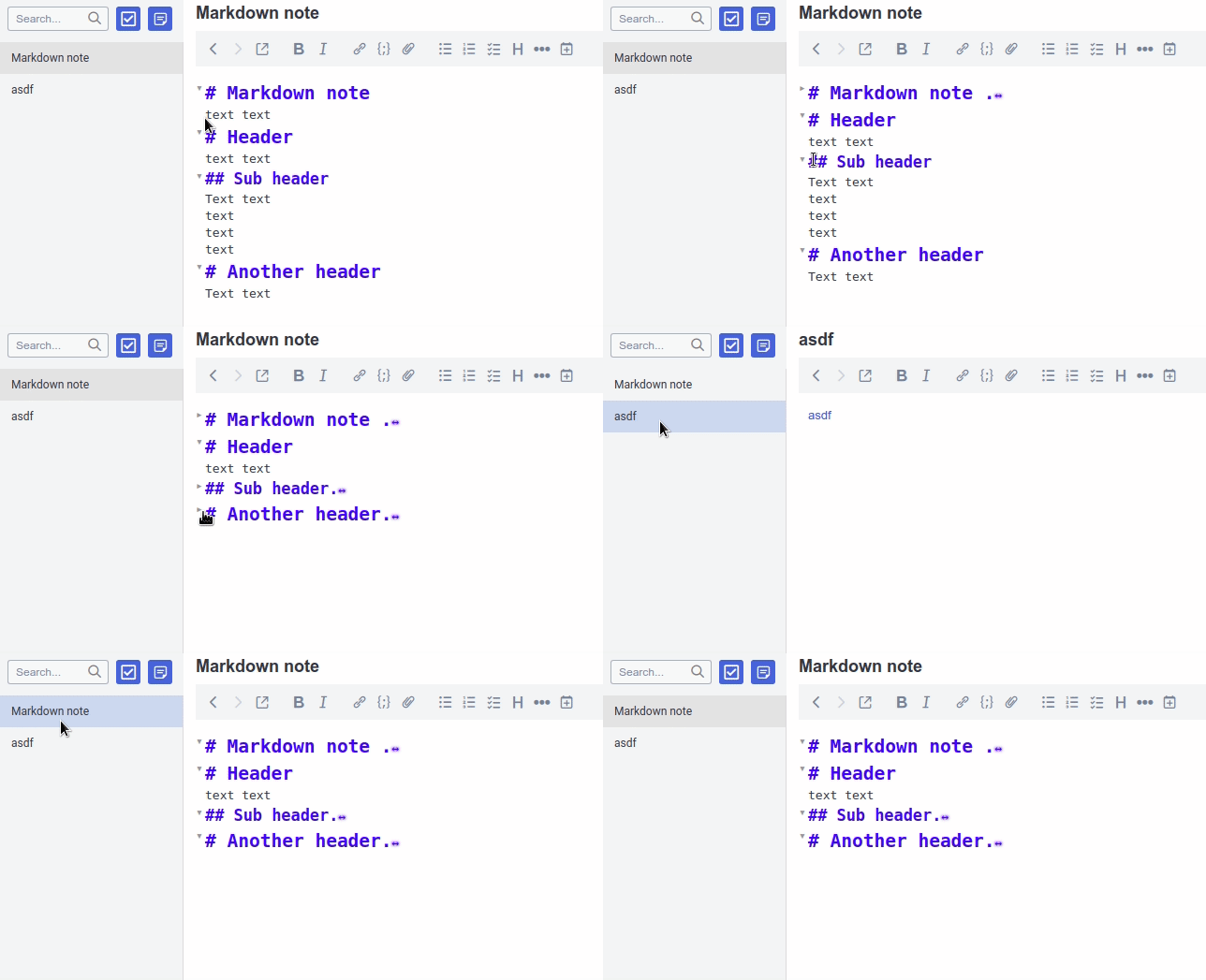
- Ctrl(or Cmd) + Alt + F to fold all
- Ctrl(or Cmd) + Alt + U to unfold all
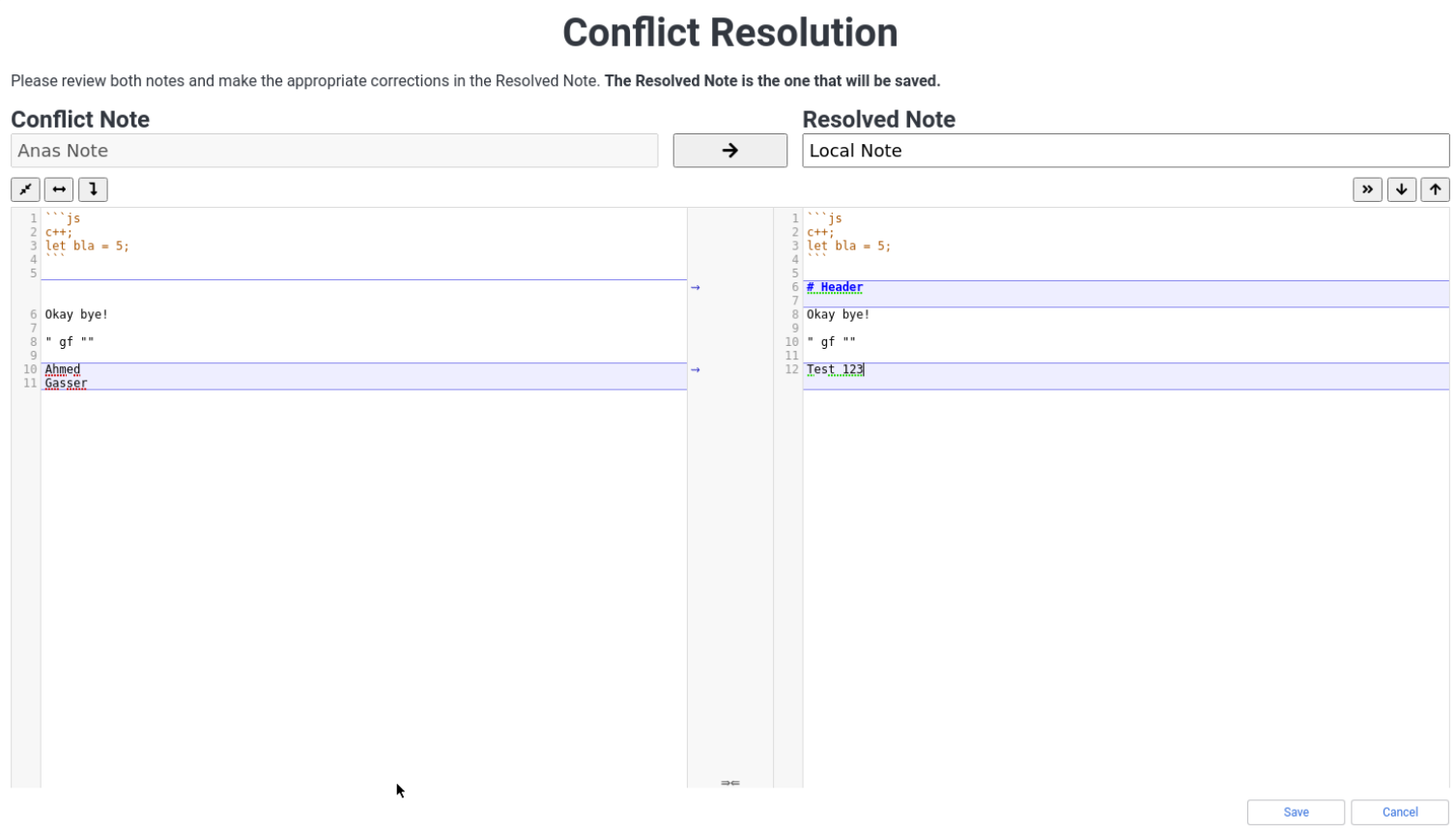
Plugin: Conflict Resolution
Joplin Kanban Plugin

Usage
To get started, you’ll need a notebook which will contain all tasks that you want to see on the board. The plugin will only show tasks in a single notebook and it’s sub-notebooks.
A kanban board is defined by a special type of note, which contains all of its configuration. Create a new note, and paste in the following:
```kanban
columns:
  - name: Backlog
    backlog: true
  - name: Work in progress
    tag: wip
  - name: Finished
    tag: done
```
It is important that the confiuration is surrounded by a code block (kanban ...), otherwise it won’t be detected.
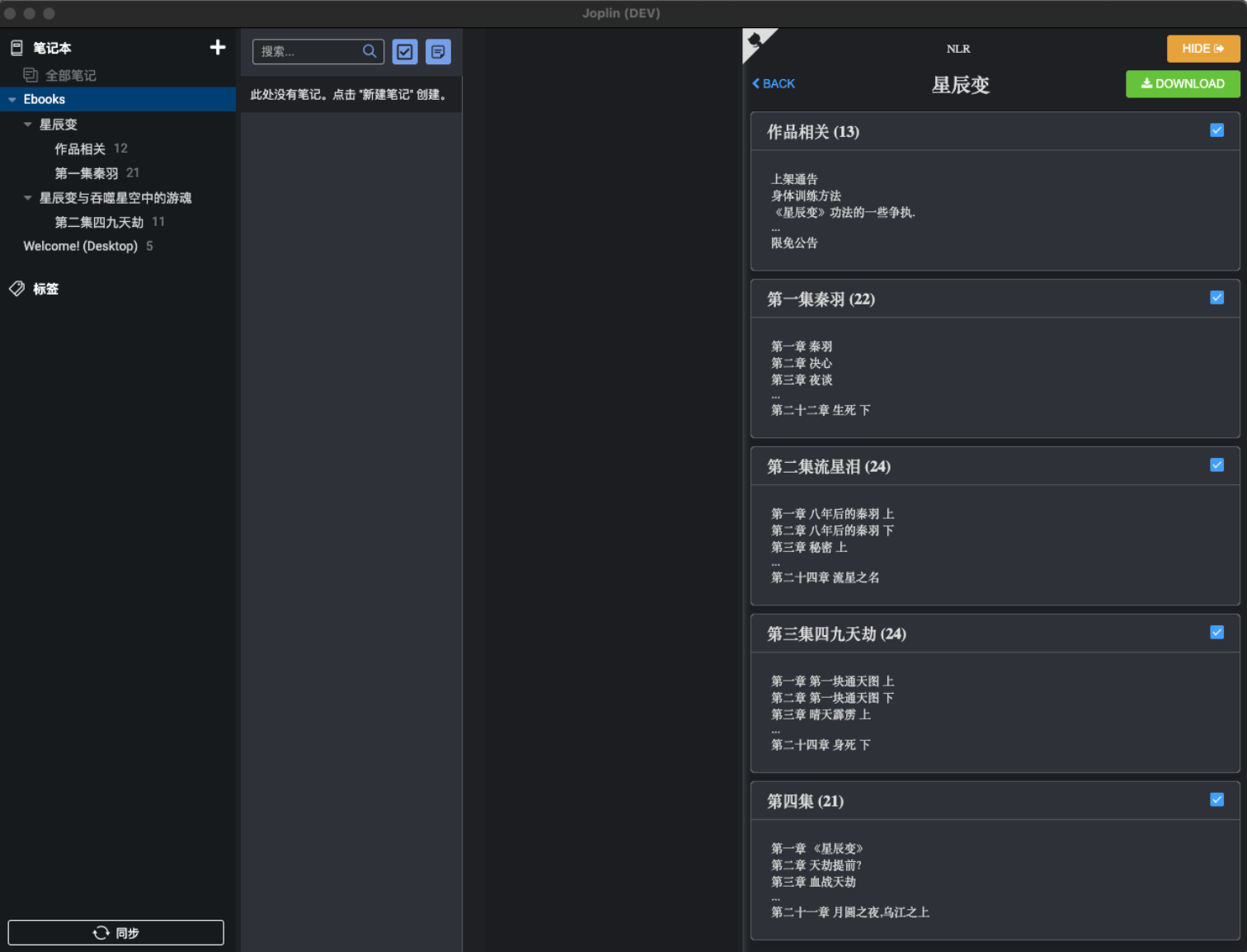
joplin_plugin_nlr
- 插件安装后会在工具菜单添加一项:NLR
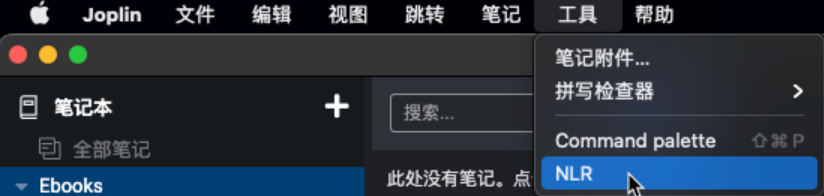
- 点击 NLR 打开新的panel,即可在输入框输入书名或作者名称搜索小说
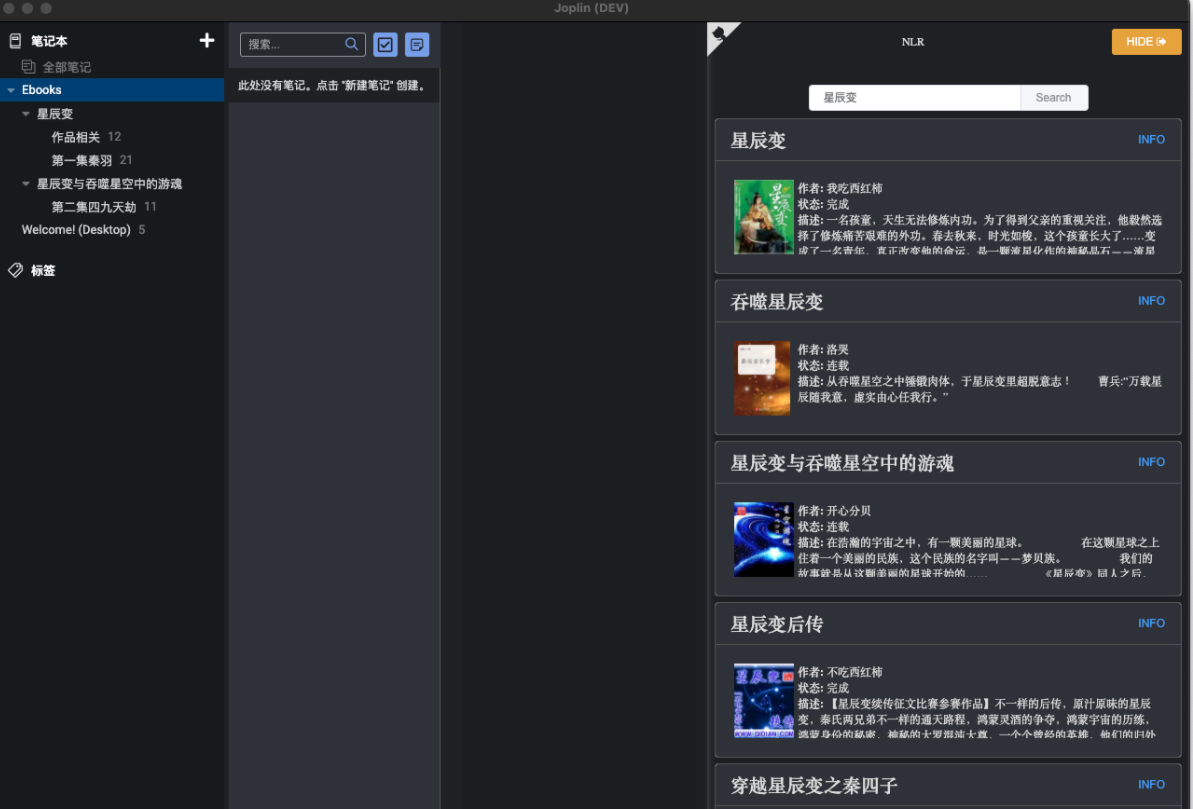
- 点击卡片右上方 INFO 打开新的小说目录,章节卡片右上checkbox选中即代表下载此chapter,选中后,点击上方DOWNLOAD开始下载,在笔记列表中即可看到小说文本了。
joplin-outline

joplin-persistent-layout
Save editor layout (editor/split view/viewer/rich text) for each note separately.
To persist the layout for a note follow these steps:
Specify the tags for which a specific layout should be used.
To do this, go to the plugin’s settings/options page and add the tags to the settings.
An example configuration could like this:

Make sure that the correct value is selected in
View > Layout button sequence.- To be able to use the layout switching correctly, this setting must be set accordingly. Otherwise the editor layout might not be switched to the expected one.
- For example: If a tag is specified in option
Tags for editor layout mode: Rendered Markdown viewerand least one note uses it, the setting must also containViewer.
Add the appropriate tags to the notes. If not already done.
- When the selected note is changed, the editor layout is switched.
- If none of the selected note’s tags matches a specified layout tag, the default layout from the option
Default editor layoutis used.- If nothing is selected as default editor layout, the currently active editor layout will be kept.
- If more than one tag is specified for a note, the first matching one is used.

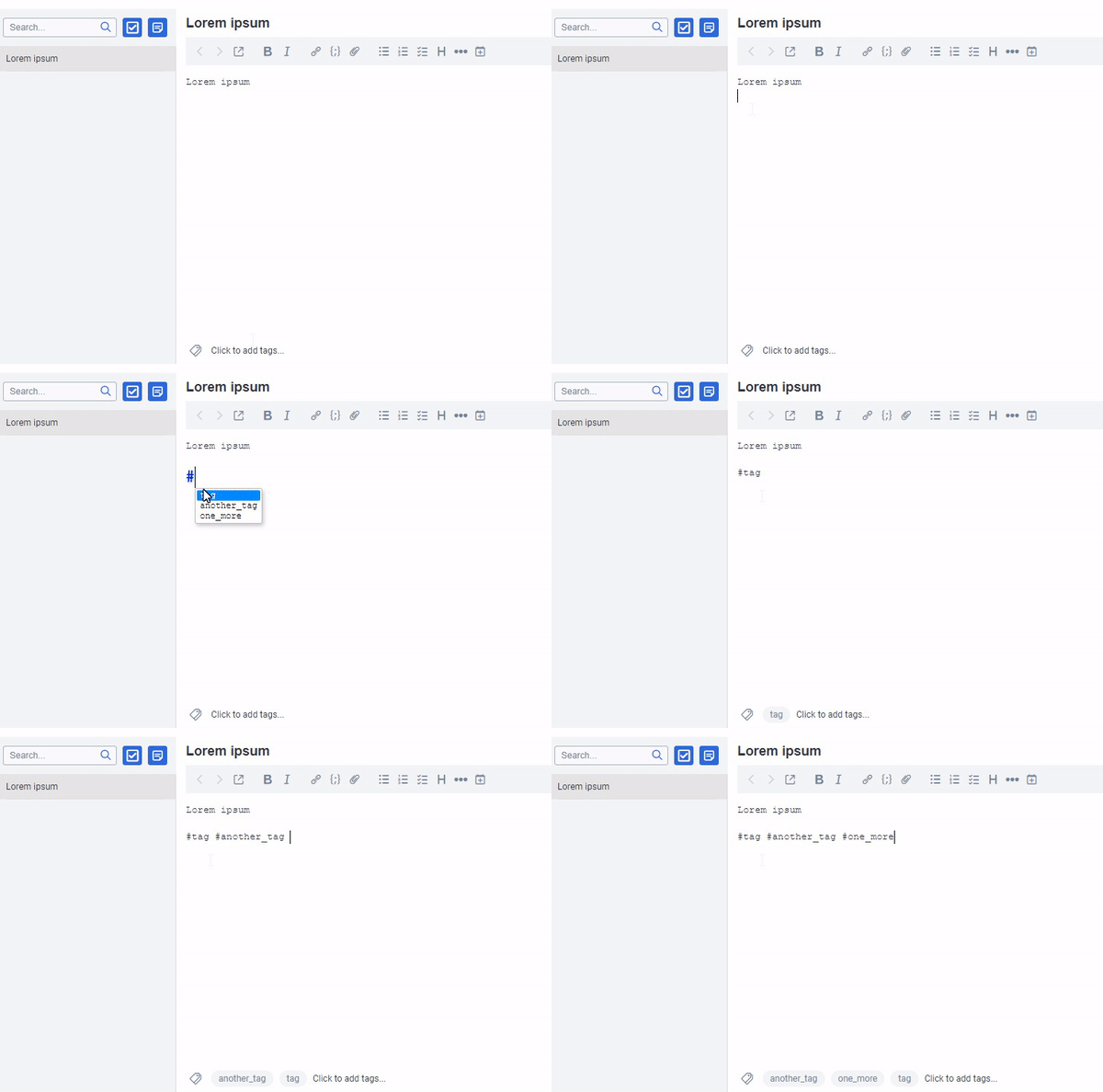
Plugin: inline tags
joplin-plugin-note-overview
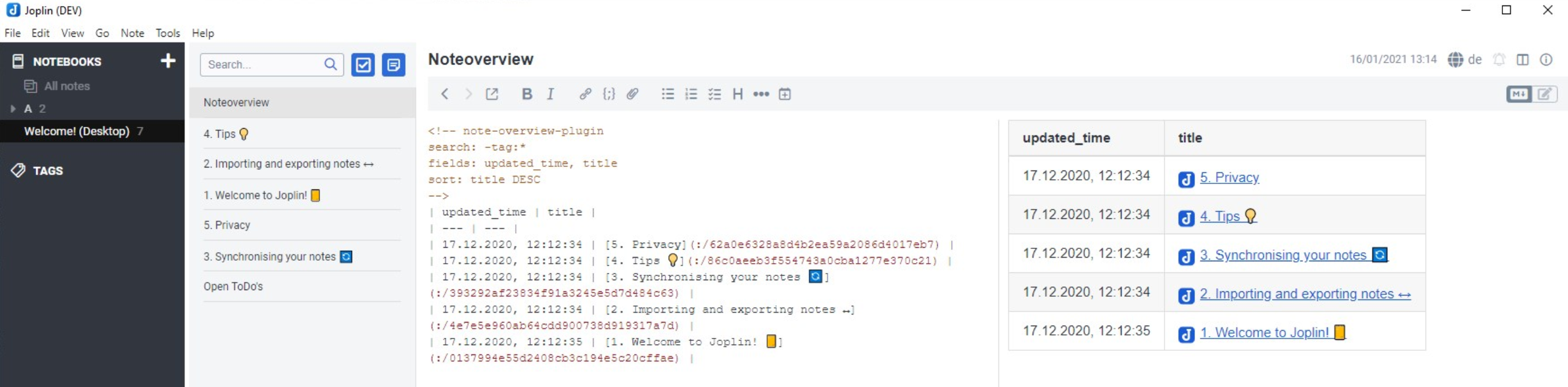
Create one or more notes with the following content:
<!-- note-overview-plugin
search: -tag:*
fields: updated_time, title
alias: updated_time AS Last edit, title AS Title
sort: title DESC
-->
Several of these blocks can be included in one note, also between text.
The note content is updated every x minutes (depending on your setting) or manualy by Tools > Create Note overview.
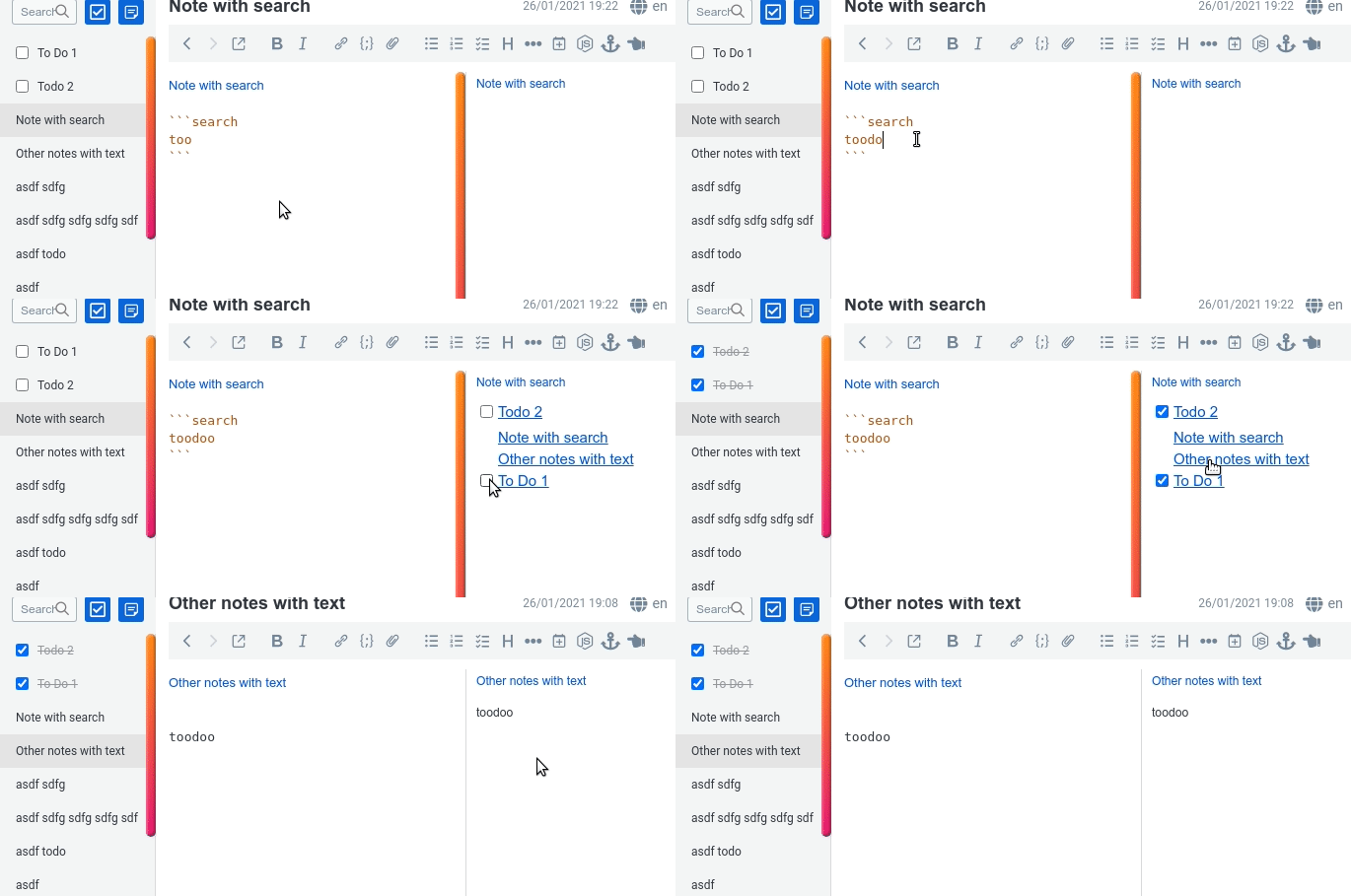
joplin-plugin-embed-search
```search
your search query
```
Additional features
- you can paste
sort:ascorsort:descto sort notes by title ascending or descending - A shorthand
notebook:this, that narrows search to current notebook only. - Basic content embedding
content:true(beta):

Spoilers
可使用%%遮盖部分文字。
格式:
%%扰流板、遮挡板%%
软件内呈现:
 点击前
点击前
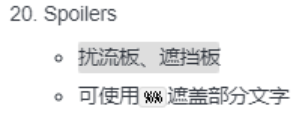 点击后
点击后
- 以及一个类似闪卡的可折叠块
- 格式:
:[

测试,标题

测试,内容

]:- 软件内呈现:
 点击前
点击前
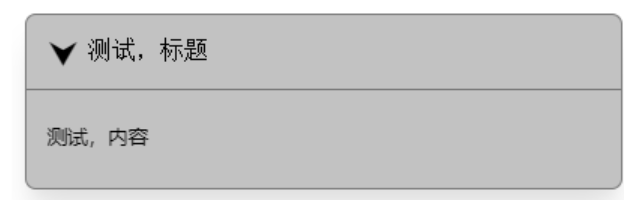 点击后
点击后
Notes statistics
- 笔记内部的数据统计。
Note tabs
- 像浏览器一样浏览文档,支持多个打开放置。

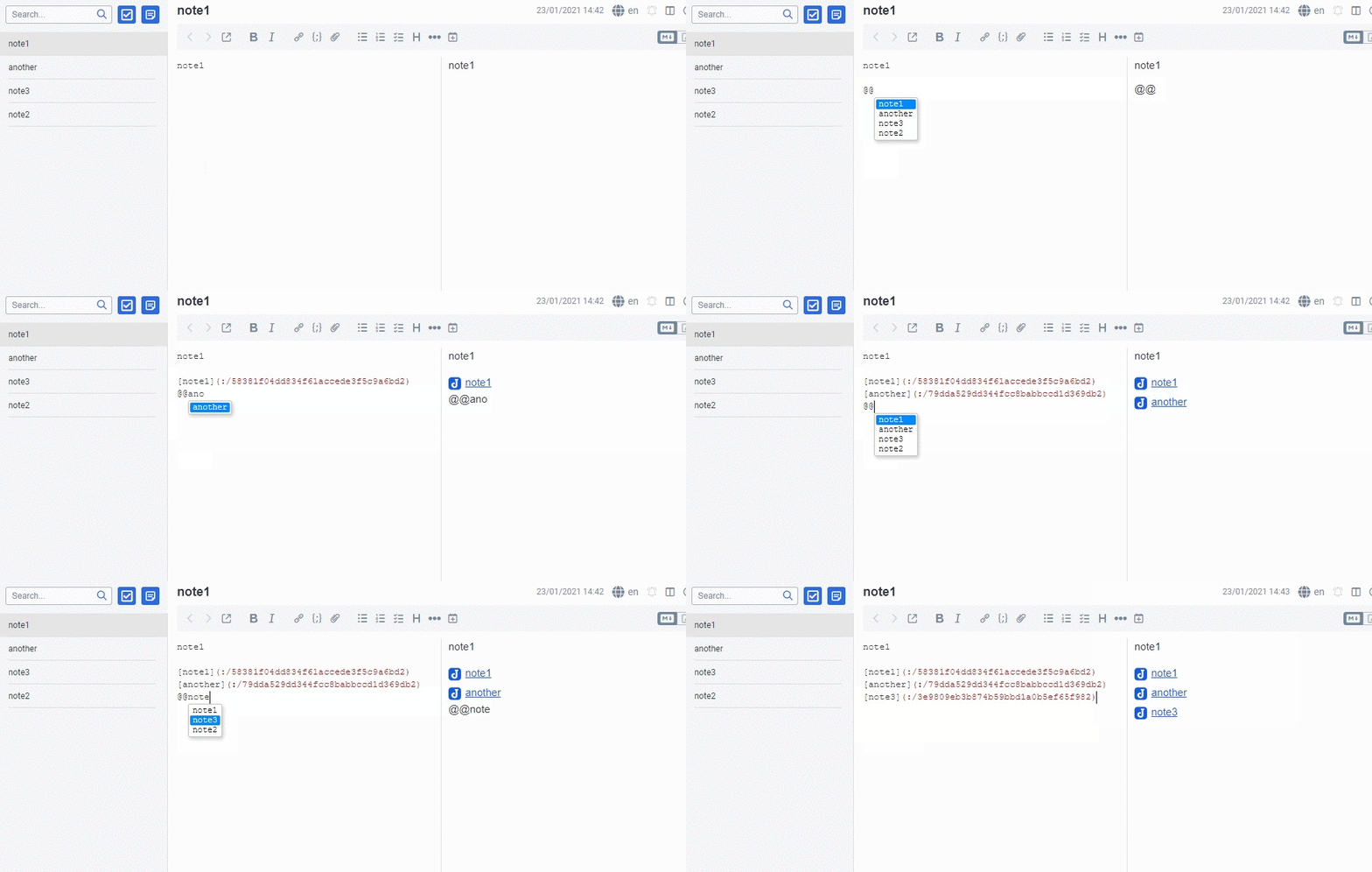
Quick links
- 使用
@@快速链接笔记文件。
- 使用
Homenotes
- 选择一个笔记作为每次打开软件时的首个笔记,可以把这个功能当作书签用。
Admonition
!!! note This is the admonition title
This is the admonition body
!!!
The following admonition types, supported by Docarys, are recognized by this plugin:
| Type |
|---|
| note |
| abstract |
| info |
| tip |
| success |
| question |
| warning |
| failure |
| danger |
| bug |
| example |
| quote |
Encrypted notes
- 字面意义,加密笔记,记住密码不得找回。
Favorites

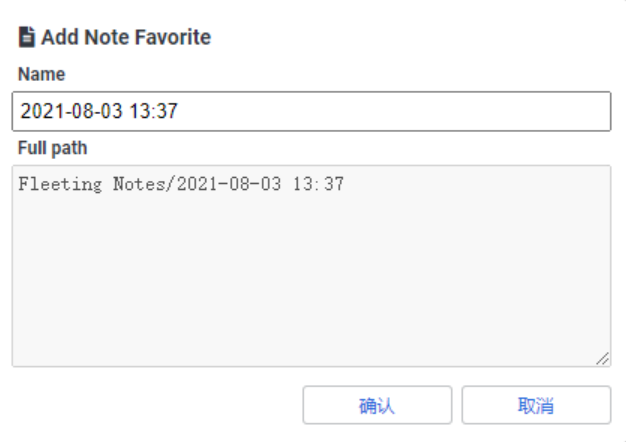
收藏夹,支持笔记、标签笔记本的收纳(随取随用)
- 更改收藏夹中的笔记名不会更改原始笔记。
Highlight
- 打出
[h:colour:scope]后,插件会自动识别成代码。
| 颜色 | 范围(自动选择的) |
|---|---|
| m = mark | e = empty |
| r = red | w = word |
| g = green | s = sentence |
| b = blue | l = line |
| y = yellow |

其他插件:
系列教程
笔记系列
- 完美笔记进化论
- hexo博客博文撰写篇之完美笔记大攻略终极完全版
- Joplin入门指南&实践方案
- 替代Evernote免费开源笔记Joplin-网盘同步笔记历史版本Markdown可视化
- Joplin 插件以及其Markdown语法。All in One!
- Joplin 插件使用推荐
- 为知笔记私有化Docker部署
Gitbook使用系列
- GitBook+GitLab撰写发布技术文档-Part1:GitBook篇
- GitBook+GitLab撰写发布技术文档-Part2:GitLab篇
- 自己动手制作电子书的最佳方式(支持PDF、ePub、mobi等格式)
Gitlab 使用系列
Hexo系列
[十万字图文教程]基于Hexo的matery主题搭建博客并深度优化完全一站式教程
- Hexo Docker环境与Hexo基础配置篇
- hexo博客自定义修改篇
- hexo博客网络优化篇
- hexo博客增强部署篇
- hexo博客个性定制篇
- hexo博客常见问题篇
- hexo博客博文撰写篇之完美笔记大攻略终极完全版
- Hexo Markdown以及各种插件功能测试
- markdown 各种其它语法插件,latex公式支持,mermaid图表,plant uml图表,URL卡片,bilibili卡片,github卡片,豆瓣卡片,插入音乐和视频,插入脑图,插入PDF,嵌入iframe



![[十万字图文教程]基于Hexo的matery主题搭建博客并深度优化一站式完全教程](/medias_webp/cover/hexo.webp)